



 A high Seller Feedback rating is crucial for dominating the Buy Box. Because every negative review can instantly impact your standing, rapid action is key. By responding to negative feedback within 24 hours, you get a critical opportunity to 'wow' the buyer, resolve their issue, and encourage them to remove the review before it damages your metrics. In this article, we'll show you how Repricer's Negative Feedback Notification feature can automatically inform you of negative feedback - making a lightning-fast response possible.
Turning on Negative Feedback Notifications
You can enable feedback notifications from your Company Settings.- Select Settings > Company Settings
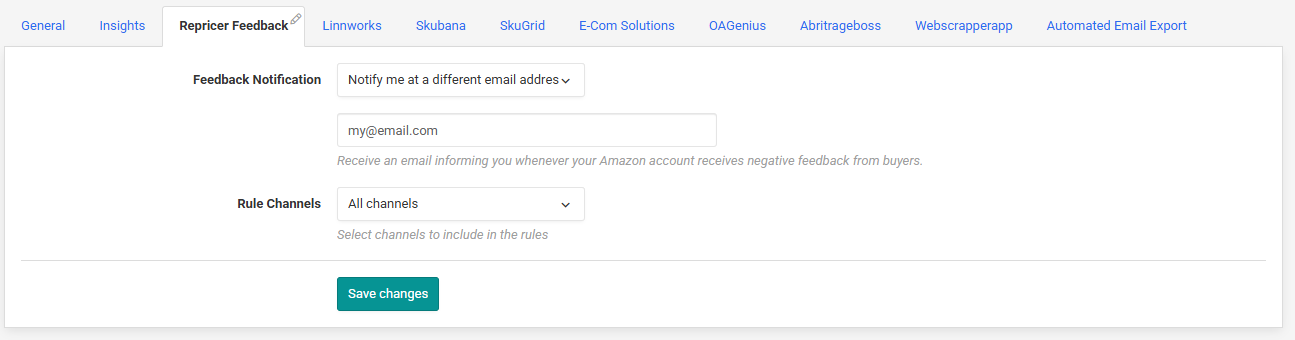
- Open the Repricer Feedback tab
Within the Feedback Notification section, you can choose to receive notifications to your Repricer.com account admin email address or a different email if you prefer.
Did you know? You can enter multiple alternative email addresses. Just put a comma between each email address.Once setup, you will automatically receive an email every time your Amazon account receives a negative feedback - allowing you to resolve the issue as quickly as possible.
Further Reading
To learn more about using Repricer to improve your feedback, check this article.To learn more about Cross ASIN Repricing, check this article.