



Whether you've forgotten the email address you registered your account with or you just want to change it, don't worry. It's a very simple and secure process!
This help file will guide you through changing your Repricer.com login email address.
Non-Admin User
If you're not an Admin user and you forgot or want to change your login email with Repricer.com, you will need to contact one of the Admin users in your Repricer.com account.
Admin users will have access to all the email addresses used in the Repricer.com account and will be able to change it for you.
Note: as a non-admin user, you will be able to change your password if you ever forgot it or want to reset it. To find out more about this, click here.
Admin User
-
Change a user's email address:
-
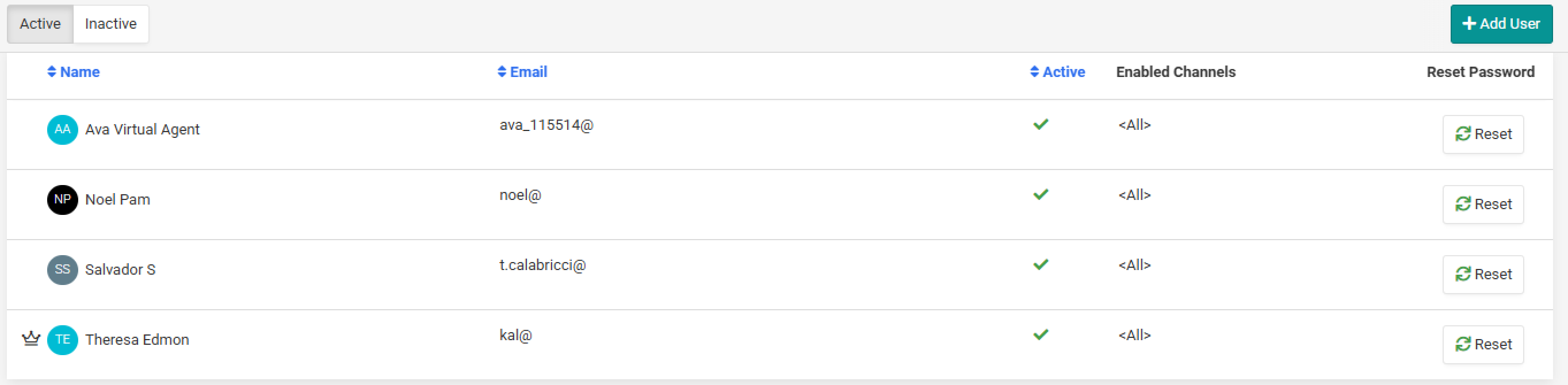
Go to Settings → Users.
-
On the screen, you will see all the current users in the Repricer.com account as well as their login email address.
-
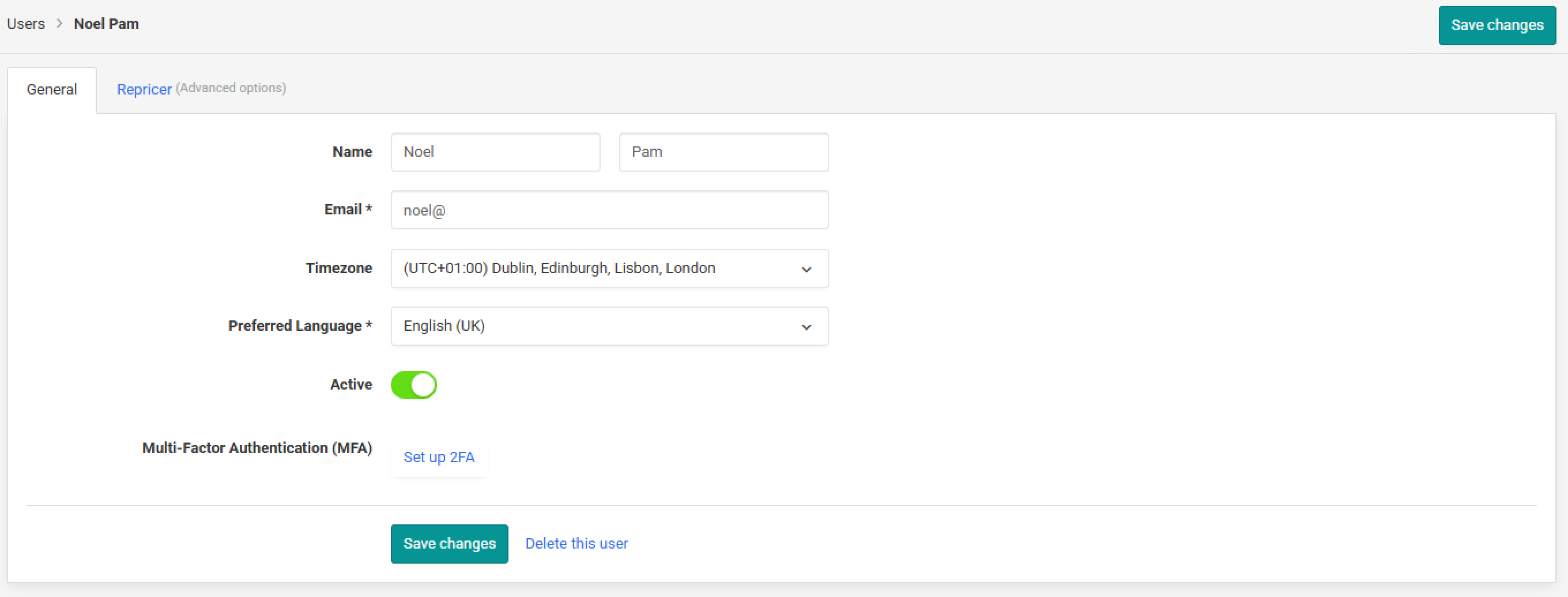
To change a user's email address, simply click on it.
-
You can then change the email address displayed in the Email field and Save Changes.
- Change your own email address:
Contact us
-
You can contact us directly by emailing support@repricer.com.
Further Reading
If you would like to find out how to reset your password, click here.